Your cart is currently empty!
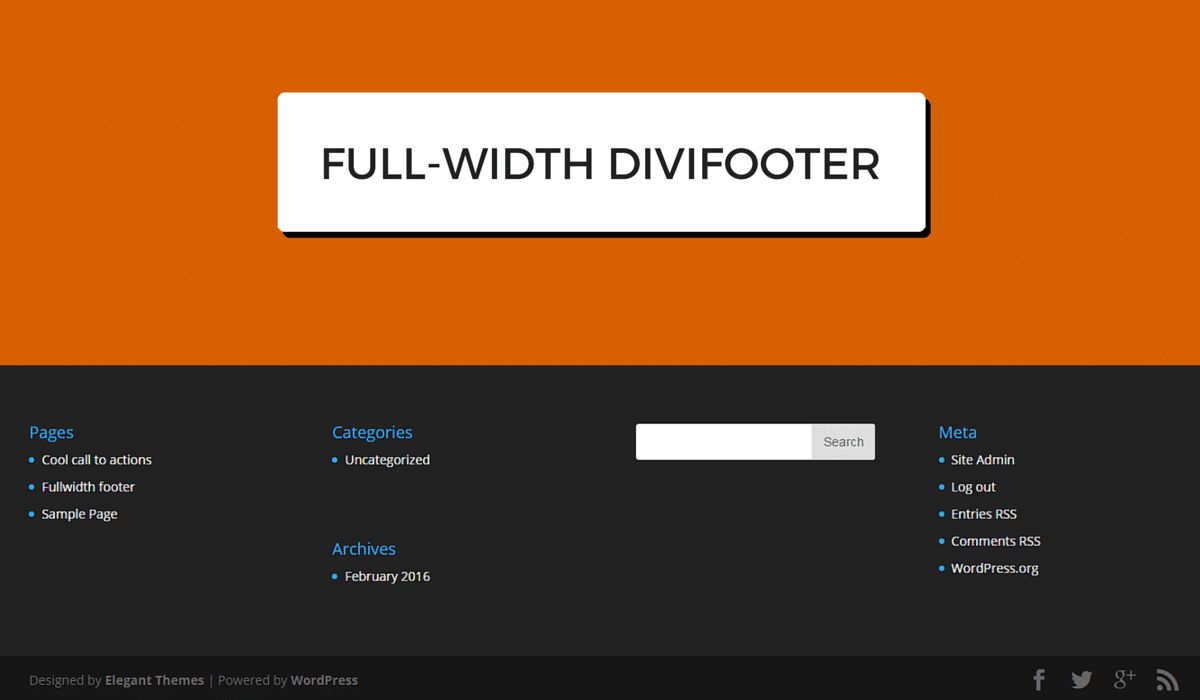
full-width Divi footer
[et_pb_section admin_label=”section” transparent_background=”off” background_color=”#ffffff” allow_player_pause=”off” inner_shadow=”off” parallax=”off” parallax_method=”off” custom_padding=”0px|||” padding_mobile=”on” make_fullwidth=”off” use_custom_width=”off” width_unit=”on” make_equal=”off” use_custom_gutter=”off”][et_pb_row admin_label=”Row” make_fullwidth=”on” use_custom_width=”off” width_unit=”on” use_custom_gutter=”on” gutter_width=”1″ padding_mobile=”on” allow_player_pause=”off” parallax=”off” parallax_method=”off” make_equal=”off” parallax_1=”off” parallax_method_1=”off” column_padding_mobile=”on” custom_padding=”0px||0px|”][et_pb_column type=”4_4″][et_pb_image admin_label=”Image” src=”http://legacy.divistride.com/wp-content/uploads/2016/02/FULL-WIDTH-DIVIFOOTER-1080×675.png” show_in_lightbox=”off” url_new_window=”off” use_overlay=”off” animation=”left” sticky=”off” align=”left” force_fullwidth=”off” always_center_on_mobile=”on” use_border_color=”off” border_color=”#ffffff” border_style=”solid”] [/et_pb_image][/et_pb_column][/et_pb_row][et_pb_row admin_label=”row” make_fullwidth=”off” use_custom_width=”off” width_unit=”on” use_custom_gutter=”off” padding_mobile=”off” background_color=”#ffffff” allow_player_pause=”off” parallax=”off” parallax_method=”off” make_equal=”off” parallax_1=”off” parallax_method_1=”off” column_padding_mobile=”on”][et_pb_column type=”4_4″][et_pb_blurb admin_label=”Blurb” title=”Full-width Divi footer” url_new_window=”off” use_icon=”off” icon_color=”#d76000″ use_circle=”off” circle_color=”#d76000″ use_circle_border=”off” circle_border_color=”#d76000″ icon_placement=”top” animation=”top” background_layout=”light” text_orientation=”left” use_icon_font_size=”off” header_font=”|on|||” header_font_size=”25″ use_border_color=”off” border_color=”#ffffff” border_style=”solid”] [/et_pb_blurb][et_pb_text admin_label=”Text” background_layout=”light” text_orientation=”left” use_border_color=”off” border_color=”#ffffff” border_style=”solid”]
I don’t know about you but just about every site I build with Divi I end up setting my header full-width as it the style I tend to like but the issue for me is that there no option in Divi to do same with the footer.
Today I’m going to show you in a very short tutorial because it pretty simple to do, so let’s get down to the CSS to have a full-width footer.
[/et_pb_text][et_pb_image admin_label=”Image” src=”http://legacy.divistride.com/wp-content/uploads/2016/02/fullwidth-footer.png” show_in_lightbox=”off” url_new_window=”off” use_overlay=”off” animation=”left” sticky=”off” align=”left” force_fullwidth=”off” always_center_on_mobile=”on” use_border_color=”off” border_color=”#ffffff” border_style=”solid” /][et_pb_text admin_label=”Text” background_layout=”light” text_orientation=”left” use_border_color=”off” border_color=”#ffffff” border_style=”solid”]
Let’s first make the bottom bar with our copyright in it full-width
[/et_pb_text][et_pb_dmb_code_snippet admin_label=”Code Snippet” title=”CSS Snippet” style=”androidstudio” linenums=”on” usetabwidth=”off” use_border_color=”off” border_color=”#ffffff” border_style=”solid” custom_css_codesnippet_heading=”background:#d76000;||padding-right:3%;||padding-left:3%;||padding-top:1%;||padding-bottom:1%;||border-top-left-radius: 5px;||border-top-right-radius: 5px;||” header_font=”|on||on|” header_font_size=”18px” header_text_color=”#fcfcfc” custom_css_codesnippet_codearea=”border-bottom-right-radius:5px;||border-bottom-left-radius:5px;”]I2Zvb3Rlci1ib3R0b20gLmNvbnRhaW5lcnsKbWFyZ2luLXJpZ2h0OiAyLjc3MyU7IAptYXJnaW4tbGVmdDogMi43NzMlOyAKd2lkdGg6OTQuNDU0JSFpbXBvcnRhbnQ7Cm1heC13aWR0aDogOTQuNDU0JTsKfQ==[/et_pb_dmb_code_snippet][et_pb_text admin_label=”Text” background_layout=”light” text_orientation=”left” use_border_color=”off” border_color=”#ffffff” border_style=”solid”]
Now let’s make the main footer area full-width, I am assuming you would like this section to be full width as well.
[/et_pb_text][et_pb_dmb_code_snippet admin_label=”Code Snippet” title=”CSS Snippet” style=”androidstudio” linenums=”on” usetabwidth=”off” use_border_color=”off” border_color=”#ffffff” border_style=”solid” custom_css_codesnippet_heading=”background:#d76000;||padding-right:3%;||padding-left:3%;||padding-top:1%;||padding-bottom:1%;||border-top-left-radius: 5px;||border-top-right-radius: 5px;||” header_font=”|on||on|” header_font_size=”18px” header_text_color=”#fcfcfc” custom_css_codesnippet_codearea=”border-bottom-right-radius:5px;||border-bottom-left-radius:5px;”]I21haW4tZm9vdGVyIC5jb250YWluZXJ7Cm1hcmdpbi1yaWdodDogMi43NzMlOyAKbWFyZ2luLWxlZnQ6IDIuNzczJTsgCndpZHRoOjk0LjQ1NCUhaW1wb3J0YW50OwptYXgtd2lkdGg6IDk0LjQ1NCU7Cn0=[/et_pb_dmb_code_snippet][et_pb_text admin_label=”Text” background_layout=”light” text_orientation=”left” use_border_color=”off” border_color=”#ffffff” border_style=”solid”]
if you made both your footer sections full-width then maybe replace the previous two line of code with just this one line of CSS.
[/et_pb_text][et_pb_dmb_code_snippet admin_label=”Code Snippet” title=”CSS Snippet” style=”androidstudio” linenums=”on” usetabwidth=”off” use_border_color=”off” border_color=”#ffffff” border_style=”solid” custom_css_codesnippet_heading=”background:#d76000;||padding-right:3%;||padding-left:3%;||padding-top:1%;||padding-bottom:1%;||border-top-left-radius: 5px;||border-top-right-radius: 5px;||” header_font=”|on||on|” header_font_size=”18px” header_text_color=”#fcfcfc” custom_css_codesnippet_codearea=”border-bottom-right-radius:5px;||border-bottom-left-radius:5px;”]I2Zvb3Rlci1ib3R0b20gLmNvbnRhaW5lciwgI21haW4tZm9vdGVyIC5jb250YWluZXJ7Cm1hcmdpbi1yaWdodDogMi43NzMlOyAKbWFyZ2luLWxlZnQ6IDIuNzczJTsgCndpZHRoOjk0LjQ1NCUhaW1wb3J0YW50OwptYXgtd2lkdGg6IDk0LjQ1NCU7Cn0K[/et_pb_dmb_code_snippet][et_pb_text admin_label=”Text” background_layout=”light” text_orientation=”left” use_border_color=”off” border_color=”#ffffff” border_style=”solid”]
Some your widget might overlap due to the width not being very wide by default so we will add the following to line to make our widgets take up their full-width of it column.
[/et_pb_text][et_pb_dmb_code_snippet admin_label=”Code Snippet” title=”CSS Snippet” style=”androidstudio” linenums=”on” usetabwidth=”off” use_border_color=”off” border_color=”#ffffff” border_style=”solid” custom_css_codesnippet_heading=”background:#d76000;||padding-right:3%;||padding-left:3%;||padding-top:1%;||padding-bottom:1%;||border-top-left-radius: 5px;||border-top-right-radius: 5px;||” header_font=”|on||on|” header_font_size=”18px” header_text_color=”#fcfcfc” custom_css_codesnippet_codearea=”border-bottom-right-radius:5px;||border-bottom-left-radius:5px;”]I21haW4tZm9vdGVyIC5md2lkZ2V0LmV0X3BiX3dpZGdldCB7CndpZHRoOiAxMDAlIWltcG9ydGFudDsKbWF4LXdpZHRoOiAxMDAlIWltcG9ydGFudDsKfQ==[/et_pb_dmb_code_snippet][et_pb_button admin_label=”Button” button_url=”http://playground.boltthemes.com/fullwidth-footer/” url_new_window=”off” button_text=”View Demo” button_alignment=”center” background_layout=”dark” custom_button=”off” button_border_width=”0″ button_letter_spacing=”0″ button_use_icon=”default” button_icon_placement=”right” button_on_hover=”on” button_letter_spacing_hover=”0″ custom_css_main_element=”width:100%;” /][/et_pb_column][/et_pb_row][/et_pb_section]
Comments
5 responses to “full-width Divi footer”
-
Thanks James – Just what I needed – works perfectly 🙂
-
Glad you found it useful :), you can adapt this idea for other things as well like sidebar items 🙂
-
-
Thank you very much James! You just made it possible to fit an entire horizontal footer menu, even on smaller screens!
One question, is it possible to center align just the menu, not the rest of the footer?
-
James, please advise where to enter the CSS? I’ve already made amendments to the standard footer text by adding CSS code to the integration tab of the Divi Theme Options. When I add your code there are some errors.
-
Saved my day. Thanks so much


Leave a Reply