Your cart is currently empty!
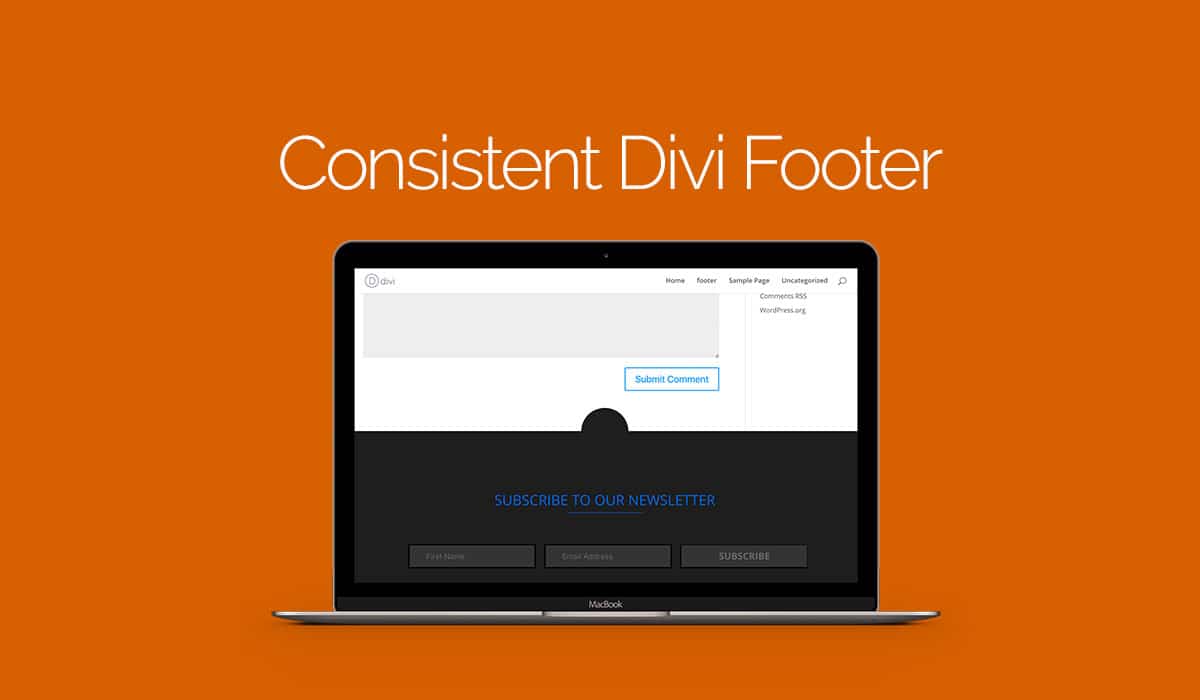
Consistent Divi Footer
[et_pb_section admin_label=”section” transparent_background=”off” background_color=”#ffffff” allow_player_pause=”off” inner_shadow=”off” parallax=”off” parallax_method=”off” custom_padding=”0px||0px|” padding_mobile=”on” make_fullwidth=”off” use_custom_width=”off” width_unit=”on” make_equal=”off” use_custom_gutter=”off” custom_css_main_element=”padding-bottom:0px!important;”][et_pb_row admin_label=”Row” make_fullwidth=”on” use_custom_width=”off” width_unit=”on” use_custom_gutter=”on” gutter_width=”1″ padding_mobile=”on” allow_player_pause=”off” parallax=”off” parallax_method=”off” make_equal=”off” parallax_1=”off” parallax_method_1=”off” column_padding_mobile=”on” custom_padding=”0px||0px|”][et_pb_column type=”4_4″][et_pb_image admin_label=”Image” src=”http://legacy.divistride.com/wp-content/uploads/2015/12/Consistent-Divi-footer.jpg” show_in_lightbox=”off” url_new_window=”off” use_overlay=”off” animation=”left” sticky=”off” align=”left” force_fullwidth=”off” always_center_on_mobile=”on” use_border_color=”off” border_color=”#ffffff” border_style=”solid”] [/et_pb_image][/et_pb_column][/et_pb_row][et_pb_row admin_label=”row” make_fullwidth=”off” use_custom_width=”off” width_unit=”on” use_custom_gutter=”off” custom_padding=”|3%||3%” padding_mobile=”off” background_color=”#ffffff” allow_player_pause=”off” parallax=”off” parallax_method=”off” make_equal=”off” parallax_1=”off” parallax_method_1=”off” column_padding_mobile=”on”][et_pb_column type=”4_4″][et_pb_blurb admin_label=”Blurb” title=”Consistent Divi Footer” url_new_window=”off” use_icon=”off” icon_color=”#d76000″ use_circle=”off” circle_color=”#d76000″ use_circle_border=”off” circle_border_color=”#d76000″ icon_placement=”top” animation=”top” background_layout=”light” text_orientation=”left” use_icon_font_size=”off” header_font=”|on|||” header_font_size=”25″ use_border_color=”off” border_color=”#ffffff” border_style=”solid”] [/et_pb_blurb][et_pb_text admin_label=”Text” background_layout=”light” text_orientation=”left” use_border_color=”off” border_color=”#ffffff” border_style=”solid”]
While working on a child theme we are busy getting to release by the end of today, I knew that our footer was not going to consistent on Divi default templates, like on blog post for instance because our footer was built with the Divi Page Builder and no-one has mentioned finding a way of achieving use of the page builder in the footer.
Our first idea was to try it with the Divi Footer Editor which we were given by another Divi plugin company, which we could have told guys to go and buy if they want the footer on every page, but the problem with this was the fact that it put everything under the Footer Menu.
Then a light bulb went off why not try to use a text widget in the footer column.
Here our screen recording of setting up our consistent footer using the text widget.
[/et_pb_text][/et_pb_column][/et_pb_row][et_pb_row admin_label=”Row” make_fullwidth=”on” use_custom_width=”off” width_unit=”on” use_custom_gutter=”on” gutter_width=”1″ custom_padding=”0px||0px|” padding_mobile=”on” allow_player_pause=”off” parallax=”off” parallax_method=”off” make_equal=”off” parallax_1=”off” parallax_method_1=”off” column_padding_mobile=”on”][et_pb_column type=”4_4″][et_pb_video admin_label=”Video” src=”https://youtu.be/4C8DntF5VVY”] [/et_pb_video][/et_pb_column][/et_pb_row][et_pb_row admin_label=”Row”][et_pb_column type=”4_4″][et_pb_text admin_label=”Text” background_layout=”light” text_orientation=”left” use_border_color=”off” border_color=”#ffffff” border_style=”solid”]
Step one: create a page to build your footer.
Step two: publish the page, change something and update so the revision option shows up(PS if you save your layout as global layout you can make updates to it from page you made for your footer.).
Step three: open widget in another tab, select footer widget area one and add text module.
Step four: start copying and pasting parts of the latest revision to your text widget.
Step five: Open theme customizer and select Footer, Layouts and select one column, also select a background colour to match your footer.
Step six: open up your Style.css or the custom CSS area in epanel and add the following line of CSS.
[/et_pb_text][et_pb_dmb_code_snippet admin_label=”Code Snippet” title=”CSS Snippet” style=”androidstudio” linenums=”on” usetabwidth=”off” use_border_color=”off” border_color=”#ffffff” border_style=”solid” custom_css_codesnippet_heading=”background:#d76000;||padding-right:3%;||padding-left:3%;||padding-top:1%;||padding-bottom:1%;||border-top-left-radius: 5px;||border-top-right-radius: 5px;||” header_font=”|on||on|” header_font_size=”18px” header_text_color=”#fcfcfc” custom_css_codesnippet_codearea=”border-bottom-right-radius:5px;||border-bottom-left-radius:5px;”]LmV0X3BiX2Zvb3Rlcl9jb2x1bW5zMSAuZndpZGdldC5ldF9wYl93aWRnZXQgewp3aWR0aDogMTAwJSFpbXBvcnRhbnQ7Cm1heC13aWR0aDogMTAwJSFpbXBvcnRhbnQ7Cn0=[/et_pb_dmb_code_snippet][et_pb_text admin_label=”Text” background_layout=”light” text_orientation=”left” use_border_color=”off” border_color=”#ffffff” border_style=”solid”]
and save.
Step seven: refreash your website and have a look at your new more beautiful Divi Footer.
[/et_pb_text][et_pb_text admin_label=”Text” background_layout=”light” text_orientation=”center” text_font=”|on||on|” text_font_size=”25″ use_border_color=”off” border_color=”#ffffff” border_style=”solid” header_font_size=”22px”]
PS: Since writing this article SJ from Divi Space has created an Elegant Solution to achieving this you can find a link below
[/et_pb_text][/et_pb_column][/et_pb_row][et_pb_row admin_label=”Row” make_fullwidth=”on” use_custom_width=”off” width_unit=”on” use_custom_gutter=”on” gutter_width=”1″ padding_mobile=”off” allow_player_pause=”off” parallax=”off” parallax_method=”off” make_equal=”off” parallax_1=”off” parallax_method_1=”off” parallax_2=”off” parallax_method_2=”off” parallax_3=”off” parallax_method_3=”off” column_padding_mobile=”on” custom_css_main_element=”background: linear-gradient(270deg, #622aa9, #6c2eb9, #7e3bd0, #7e3bd0);||background-size: 800% 800%;||||-webkit-animation: divipurple 30s ease infinite;||-moz-animation: divipurple 30s ease infinite;||animation: divipurple 30s ease infinite;||||@-webkit-keyframes divipurple {|| 0%{background-position:0% 50%}|| 50%{background-position:100% 50%}|| 100%{background-position:0% 50%}||}||@-moz-keyframes divipurple {|| 0%{background-position:0% 50%}|| 50%{background-position:100% 50%}|| 100%{background-position:0% 50%}||}||@keyframes divipurple { || 0%{background-position:0% 50%}|| 50%{background-position:100% 50%}|| 100%{background-position:0% 50%}||}” custom_padding=”||0px|”][et_pb_column type=”2_3″][et_pb_text admin_label=”Text” background_layout=”dark” text_orientation=”center” use_border_color=”off” border_color=”#ffffff” border_style=”solid” header_font=”|on||on|” header_font_size=”25px” custom_margin=”|10px||”]
Page Builder Everywhere
[/et_pb_text][et_pb_image admin_label=”Image” src=”http://legacy.divistride.com/wp-content/uploads/2015/12/pbe-510×362-2.png” show_in_lightbox=”off” url_new_window=”off” use_overlay=”off” animation=”left” sticky=”off” align=”left” force_fullwidth=”off” always_center_on_mobile=”on” use_border_color=”off” border_color=”#ffffff” border_style=”solid”] [/et_pb_image][/et_pb_column][et_pb_column type=”1_3″][et_pb_divider admin_label=”Divider” color=”#ffffff” show_divider=”off” height=”50px” divider_style=”solid” divider_position=”top” hide_on_mobile=”on”] [/et_pb_divider][et_pb_button admin_label=”Button” button_url=”https://divi.space/product/page-builder-everywhere-header-footer-sidebar-editor/ds/james” url_new_window=”on” button_text=”LEARN MORE” button_alignment=”left” background_layout=”dark” custom_button=”off” button_border_width=”0″ button_letter_spacing=”0″ button_use_icon=”default” button_icon_placement=”right” button_on_hover=”on” button_letter_spacing_hover=”0″] [/et_pb_button][/et_pb_column][/et_pb_row][et_pb_row admin_label=”Row”][et_pb_column type=”4_4″][et_pb_text admin_label=”Text” background_layout=”light” text_orientation=”left” use_border_color=”off” border_color=”#ffffff” border_style=”solid”]
I hope you have found this useful 🙂
[/et_pb_text][/et_pb_column][/et_pb_row][/et_pb_section]
Comments
17 responses to “Consistent Divi Footer”
-
brilliant!
-
I thought it was a pretty awesome discovery 🙂
-
-
Hello James, very glad I found this and working like a charm.
On question though, if I update the footer page, do I have to do the whole copy/paste into the widget again?
Also, I did not understand your tip in saving as global layout. Where and how do I do that?
Thank you and best regards,
Frans-
Hi, Fran, glad you got it working, unfortunately if you don not save the item as a global setting you will need to do the copy and paste process again.
Saving as a global section is a Divi feature so the best place to learn more is here http://www.elegantthemes.com/gallery/divi/documentation/global-modules/
-
Thank you for the tip James! However, if you do edit the global library item, you will have to copy and paste all over again because the global layout would now be a new revision of the layout. The Footer Widget would then be out of date. Footer Widgets with a text element in would be hard coded effectively and not linked to Global Module Items. Does this make sense or am I missing something?
-
-
-
This is exactly what I was looking for. I was using a child theme with a nice footer and some custom CSS for another trick and this worked perfect. I didn’t have to use a global setting though, just the short code from the contact module. THANKS!!
-
Awesome, glad this worked for you 🙂
-
-
I am not sure if the CSS you provided does anything, and my footer content seems to have a break point in it that I can’t track down.
-
Can you provide a link so I can take a look for you
-
-
This is so smart! Thank you James, made my day. 🙂
-
Only a pleasure to help 🙂
-
-
Excellent idea James. It’s great.
-
Glad you like it 🙂
-
-
Hi James, I am unable to find browser revision option in my WordPress, I am using the latest version of WordPress.
-
That is a very strange issue, I have not seen WordPress missing that option before
-
-
Thank you so much for this James. Its saved me hours of work. The only thing I can’t seem to get right is the CSS. It still seems the footer is placed within a box, it is not stretching it full width.
-
This is genius. Thank you so much. It works like a dream and meant I was able to display my custom footer in my blog posts because as a stand alone Divi global element, the comments were placed beneath the footer and it didn’t stretch full width.


Leave a Reply